Two months of releases in one update. The annotation tool got faster and smarter, Operational Overview became a real command center, and several workflow features landed that save repetitive setup time.
Annotation Tools
Pedestrian Tool
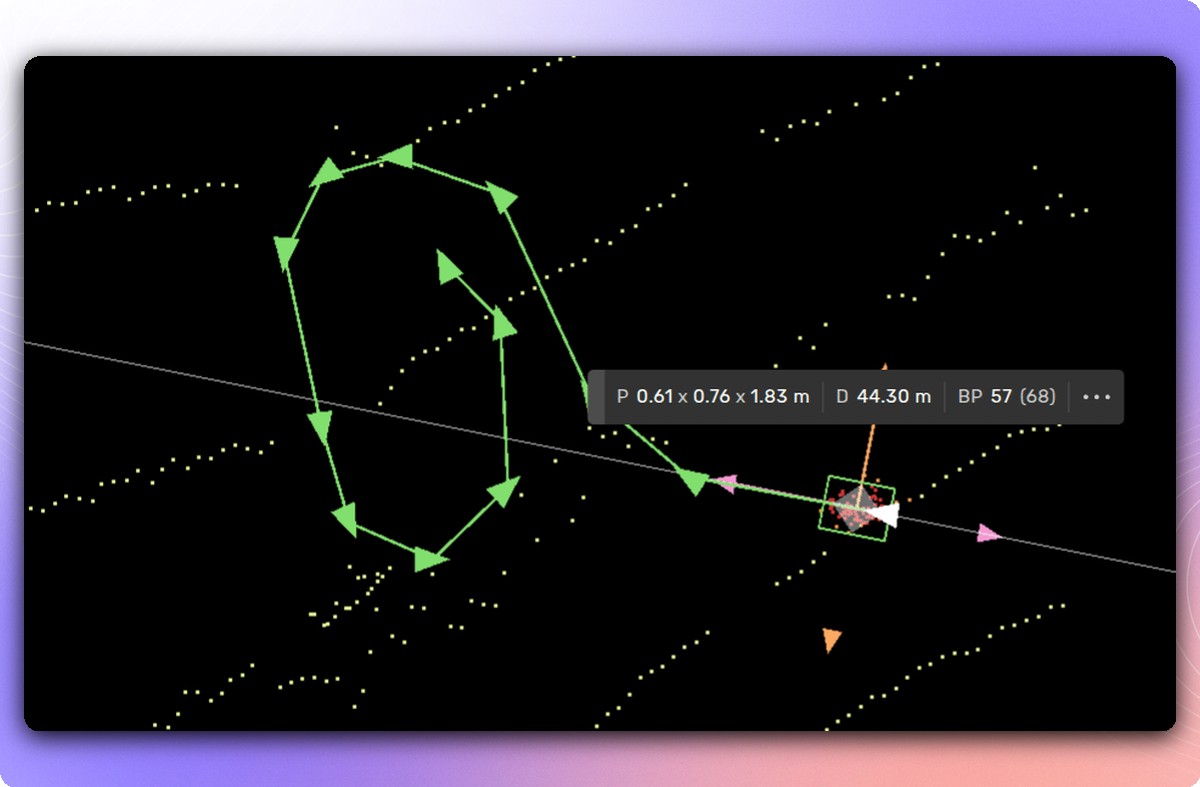
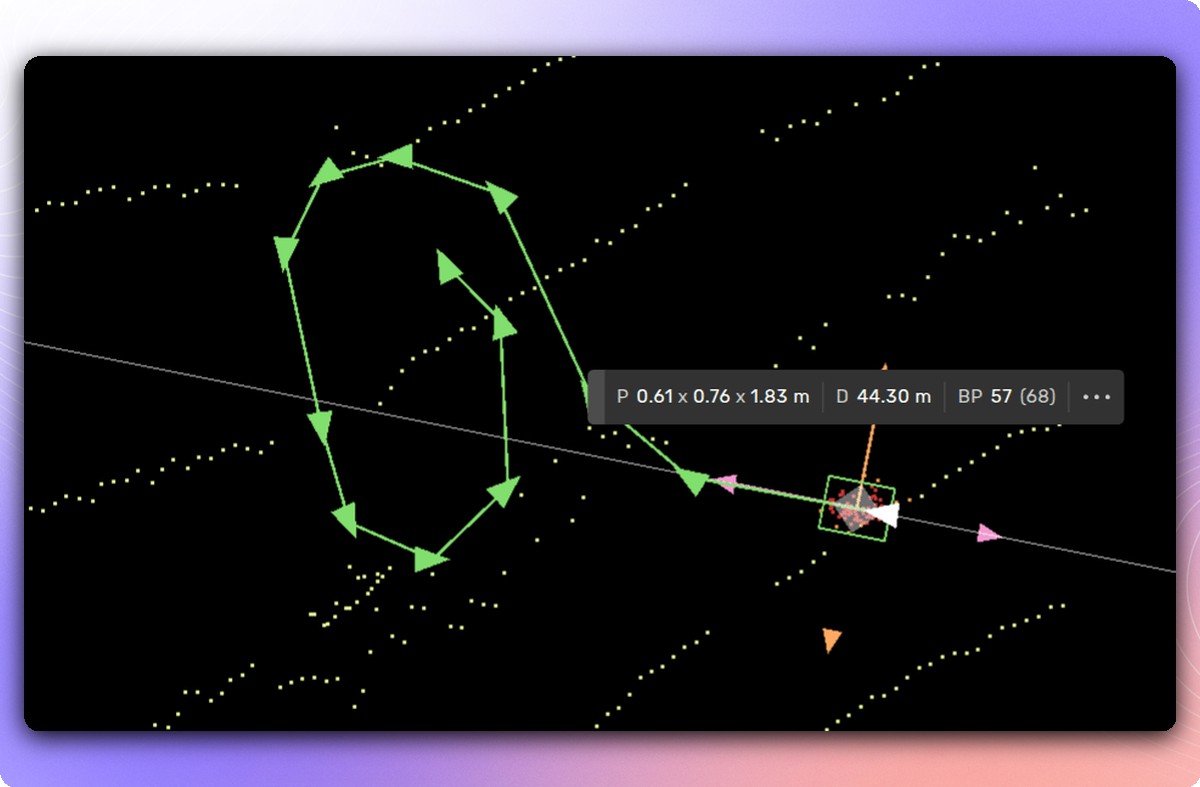
Annotating pedestrians in sequences just got dramatically faster. Place cylinders around target points using quick-paint tracking, press Enter, and the system converts your marked points into cuboids with smooth trajectory-aligned heading, unified or varying size, and ground-plane alignment. No precision placement needed.
Available in: Drawing tool (3D box tasks with pedestrians/VRUs in sequence)
Occlusion Automation
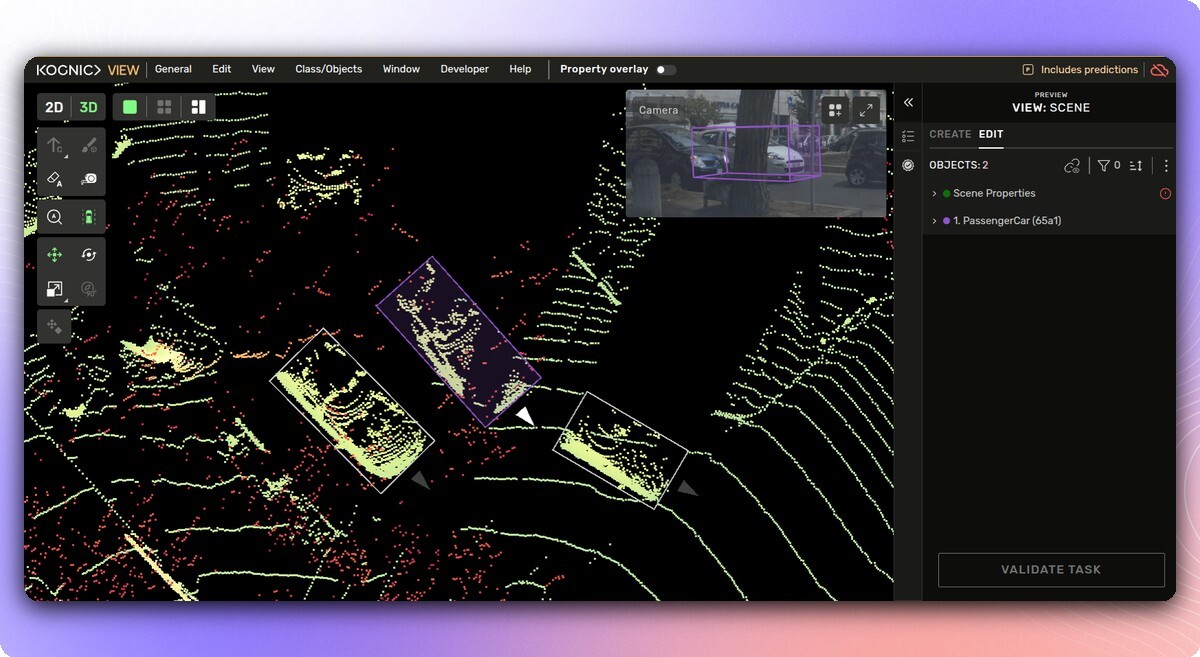
The platform now estimates occlusion levels for objects and shows indicators in the right-side menu and expanded camera drawer. Instead of guessing the occlusion property, you get an informed starting point. Fewer judgment calls, more consistent results.
Available in: Drawing tool (2D/3D box tasks with occlusion properties)
Action Assist: 2D/3D Fusion (Single Frame)
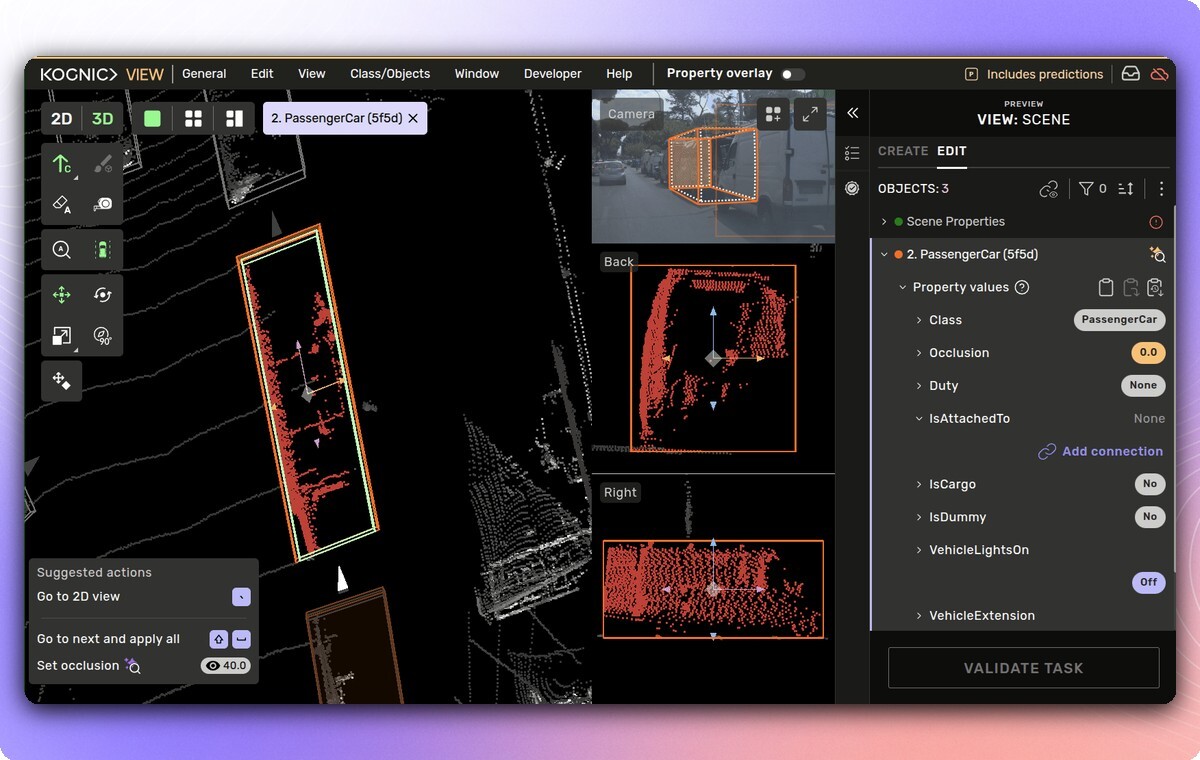
Action Assist now guides you through the optimal fusion workflow: annotate the 3D box first, then draw the object in 2D in each source where the 3D box is visible. The guided sequence reduces context-switching and speeds up single-frame fusion annotations.
Available in: Drawing tool (2D/3D fusion tasks)
Plus: Align Line to Ground snaps 3D lines to the ground surface with a single action, useful for road lines drawn in bird's eye view. 2D bounding box auto complete makes prelabel-assisted drawing more intuitive. And all color palettes (classes, properties, sensors) have been updated for better contrast and color-blind accessibility.
Operational Overview
The Operational Overview received a major upgrade across several releases, turning it into a proper at-a-glance command center.
Productivity and Quality KPI Cards
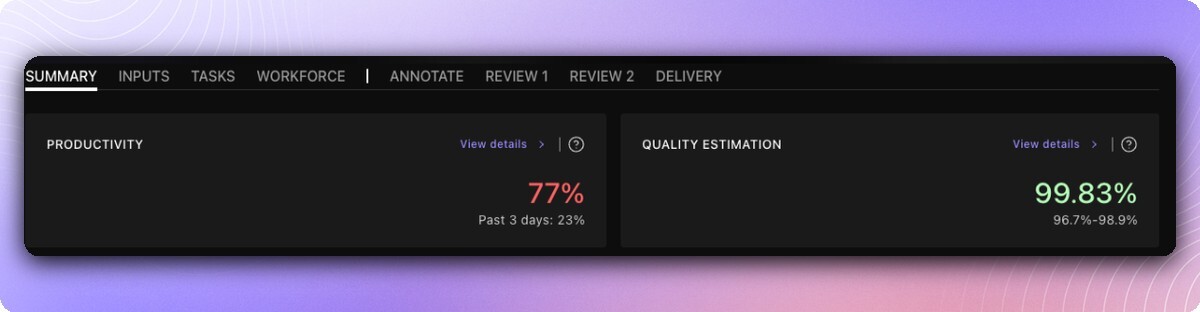
The Request Summary page now shows two compact KPI cards. The Productivity card displays the productivity ratio with a recent-period trend (e.g. "Past 14 days: 108%") and links directly to Productivity Insights. The Quality Estimation card shows the overall quality score, color-coded by performance (green above 95%, red below 90%), with a breakdown on hover.
Alignment analytics are now available to all request producers, not just internal users.
Available in: Request Summary page
Productivity and Quality in the Overview Table
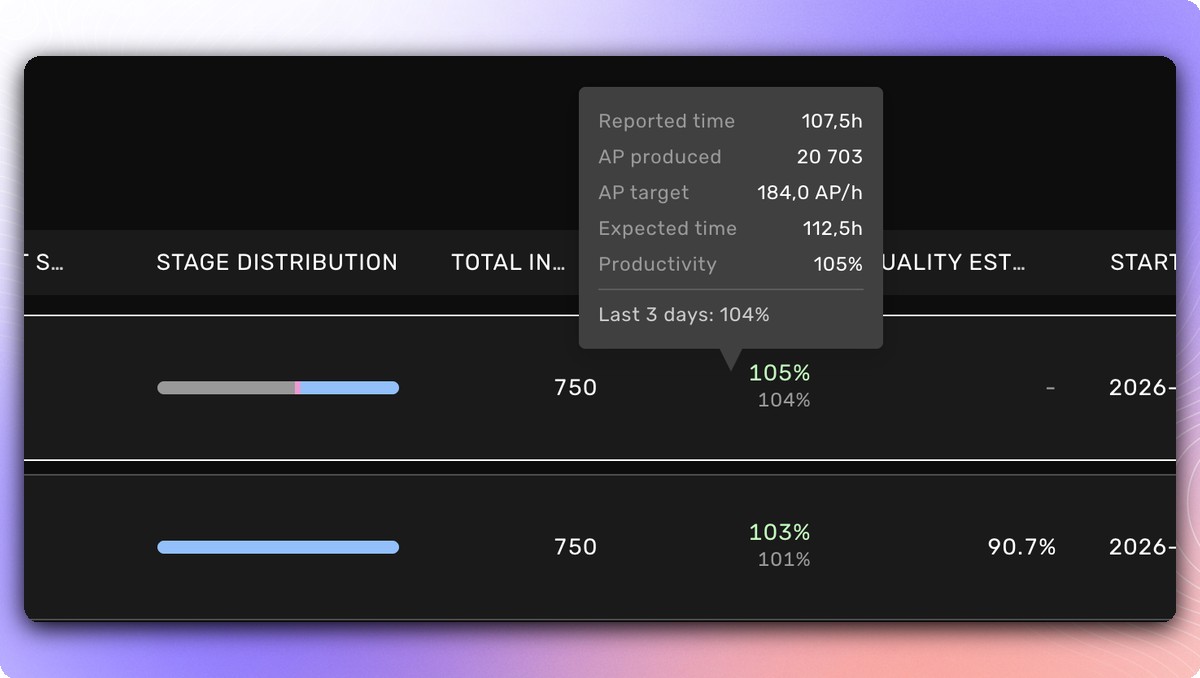
Every request in the Operational Overview now shows its productivity percentage and quality estimation score inline. Recent-period productivity (e.g. "Past 3 days: 117%") appears as a subtitle, so you can spot trends without clicking through. Quality scores are color-coded the same way as the KPI cards.
Available in: Operational Overview
Quality Score in Quality Alignment
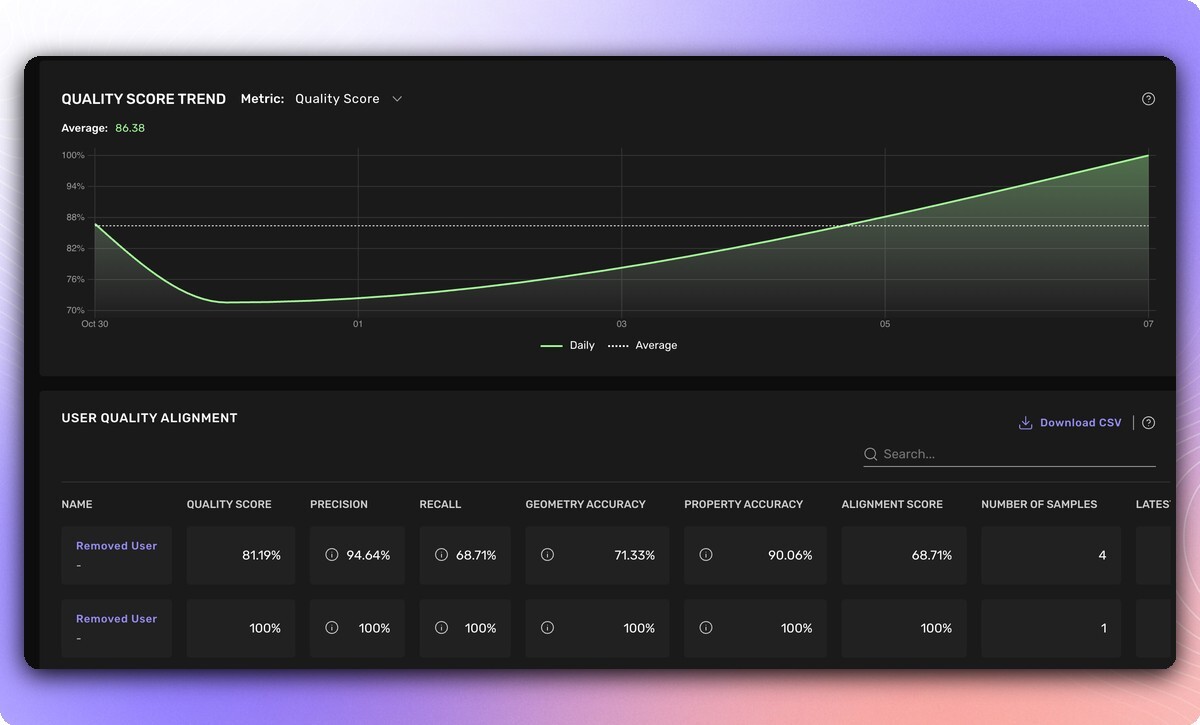
Quality Alignment pages now include a Quality Score column: the average of precision, recall, geometry accuracy, and property accuracy. A new metric selector dropdown lets you switch between Quality Score, Alignment Score, and individual sub-metrics in the trend graph.
Available in: Team Management > Quality Alignment, Campus > Productivity Metrics
Plus: The Overview table also gained a "not started" input count per project and a "Go to project" shortcut.
Workflow & Platform
Copy Workforce Between Requests
You can now copy a workforce setup from one request to another. "Copy from" populates the current request with another request's workforce. "Copy to" replicates it to one or more targets. Copied members keep their task allocation type and workflow stages. Configure once, replicate across requests.
Available in: Request detail page, Workforce tab
Scene Data Quality Checks
Projects can now require scenes to pass data quality checks before inputs are created. The first available check is Ego Pose Validation, catching missing poses, duplicate frame IDs, and velocity anomalies. Quality issues are surfaced at both the scene level (Data Orchestration) and input level (Requests).
Available in: Project Settings (enable checks), Request Settings (opt out per request)
Notification Inbox
A centralized notification inbox is now available in both the annotation tool and main app. A dot on the inbox icon indicates unread notifications. Open the panel to browse, mark all as read, or filter to unread only.
Available in: Annotation app (top menu bar) and main app (navigation header)
Processing Error Monitoring
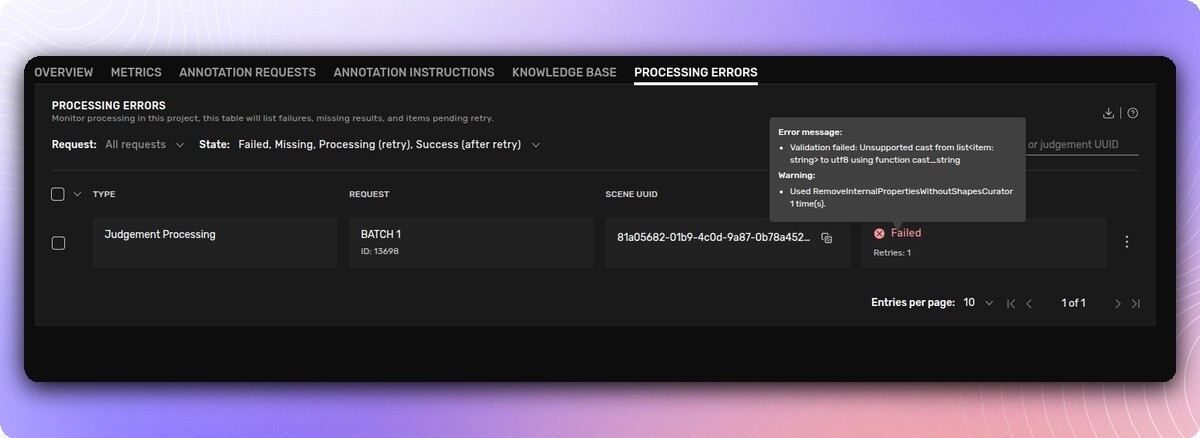
A new Processing Errors tab surfaces failed or missing post-processing for judgements and exports. You can see which steps failed, retry them directly, and filter by request and state.
Available in: Project Management (new tab, next to Knowledge Base)
Plus: A new Client QA Contributor role lets third-party review organizations support request owners with quality assurance, with scoped access to delivery and review phases.
Coming Up
Kognic will be at VivaTech Paris (June 16-18) and AutoAI USA in San Francisco (June 29-30). Stop by if you're attending.
Questions? Reach out to your account team or contact us